


Leaderboard
-

AndyR
Moderators1Points535Posts -
RichardC1989
Members1Points1Posts


Popular Content
Showing content with the highest reputation on 01/15/2024 in all areas
-
1 pointWow an Astra F, and i thought my G was getting on a bit. Looking forward to seeing some pictures. And having a recordable history too. Well done for saving it.1 point
-
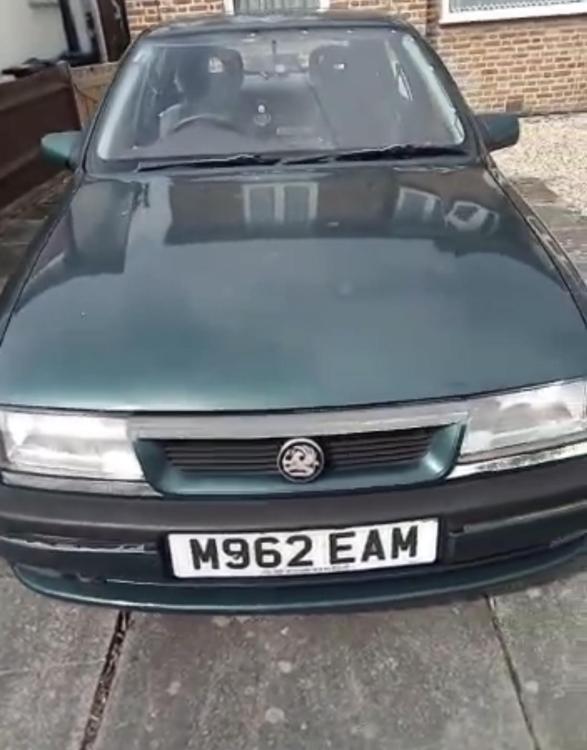
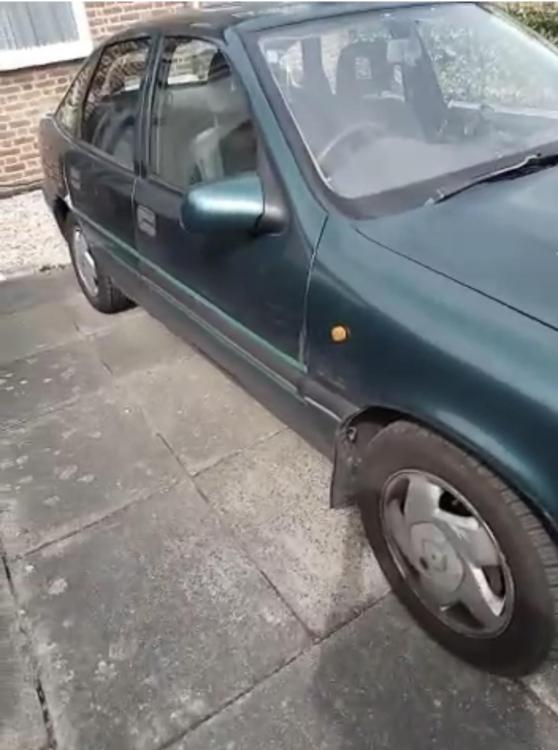
For sale is my mk3 Vauxhall cavalier GLS. 2L automatic petrol. The car is fantastic, it’s out of MOT but will be good to a new home. It’s been in the family for 25 years and well maintained and serviced. Car has some signs of wear and tear which is expected for its age of 29 years. It drives spot on with plenty of power in the engine. Easily pulls away faster than other cars without trying! Gearbox is good as well. 4 speed automatic. Looking for £1000 but open to offers. V5, 2 keys and has fuel in it.
 1 point


