


Leaderboard
-
steveH
Moderators1Points33Posts -
Stevie39393
Members1Points19Posts -
jcwyvern
Members1Points2Posts -
AlexMi
Members1Points4Posts


Popular Content
Showing content with the highest reputation on 01/22/2026 in all areas
-
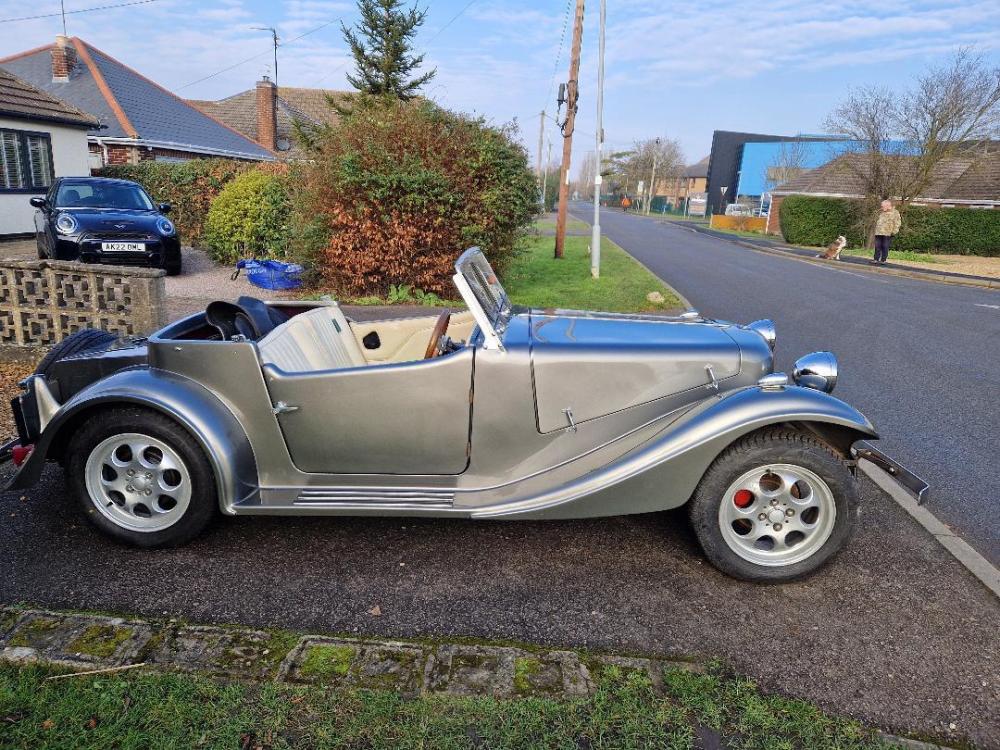
1 pointHi Earlier this year I purchased a JC Wyvern which is a kit car using the Vauxhall Magnum running gear engine is the 2.3l High Compression slant four. Although the car look grand as he had recently a respray and a so called rebuild, I am now in the process of rebuilding it correctly. I would like to find any other JC owners so please get in contact if you own one or know someone who owns one
 1 point
 -
1 pointWow, that looks a really fun car, I owned a GTM spyder for a while withe 1.8VVT engine and it was built by a Lotus engineer so it was better tha many I'd seen, but sometimes a tear down and reassemble is the best way to get the car the way you would want it. Have fun and all the best with it.1 point
-
1 point
-
0 pointsAppreciate the optimism, I really do, but I can't start because I don't know where to start, I simply can't find any schematics or sheets or whatever detailing how to get to the throttle body. Not a mechanic, but would go for the job if I had some support (sheets, schemes etc). Does anyone know where these could be brought/accessed? I tried looking for Crossland workshop manuals, bought the online Haynes manual which is not that detailed, but I can't find a proper workshop/service manual, not even to buy online. Any support would be appreciated.0 points
