


Leaderboard
-
Rory clague
Members1Points3Posts -
Phil Y
Members1Points2Posts -
jjimbob86
Members1Points2Posts -
alphonse
Members3Points10Posts


Popular Content
Showing content with the highest reputation on 07/24/2023 in all areas
-
1 pointHi all Seems really quiet here. I'm a new member here iv had vauxhall most of my life Cavs & astras mk4 and 5 this is my 1st J and 1st vauxhall turbo 2013 Astra 1.6 Turbo GTC SRI 180
 1 point
 -
1 pointHello everyone. Can anyone help me please I am after the drivers side door pocket as mine has a chunk broken out of it. The car is a 1983 mk1 facelift. 2.0gl auto many thanks Phil
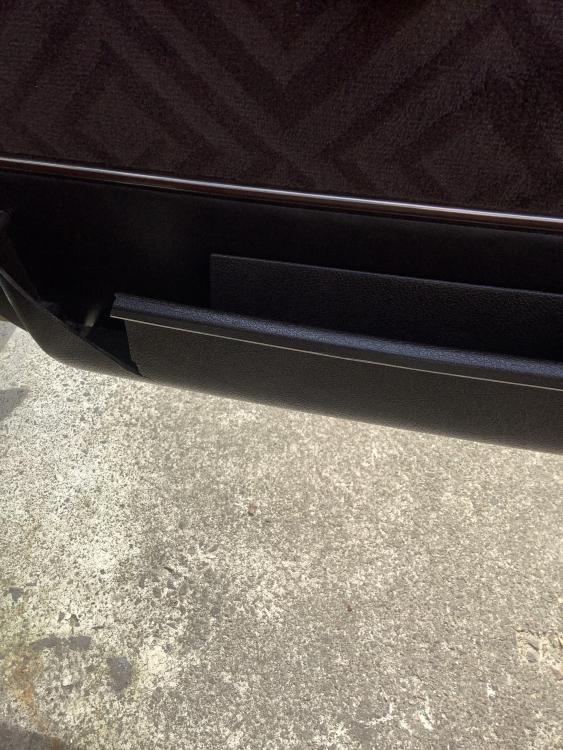 1 point
 -
1 point1 point0 pointsHi we p/t our crossland 2919 for a grandland on the 23/June this year we then qualified for the £300 fuel card that was on offer,at this moment we have not received or had any information regarding this fuel card was wondering if anyone has not received there's many thanks0 pointsHi there, sorry for the delay in replying. There was nothing in my owners manual that was helpful, however I was reading an old Car Mechanics mag. the other day and came across an article on headlights and the beeping noises that are given off if you have a particular type and they go faulty. It states that the noise can be heard under the bonnet and sometimes under the dash area. Maybe someone in the past has fitted a set of these bulbs which give a brighter light? The bulbs are the High Intensity Discharge or HID type. Evidently, if the Igniter fails they give off a clicking sound. Anyway, if you want the full story it,s in the January 2023 edition magazine, page 7. Hope this helps, I am curious myself......... Peter.0 points


