


Leaderboard
-
Barry Pennill
Members1Points1Posts -
Mark Cambs
Members1Points2Posts -
Baz01634
Members1Points2Posts


Popular Content
Showing content with the highest reputation on 04/10/2022 in all areas
-
1 pointWe have just added a Tigra to the household. Looked at several and ended up paying top dollar for an exceptional Opel Tigra with just 17K miles. I suspect it must be one of the best Tigras around.1 point
-
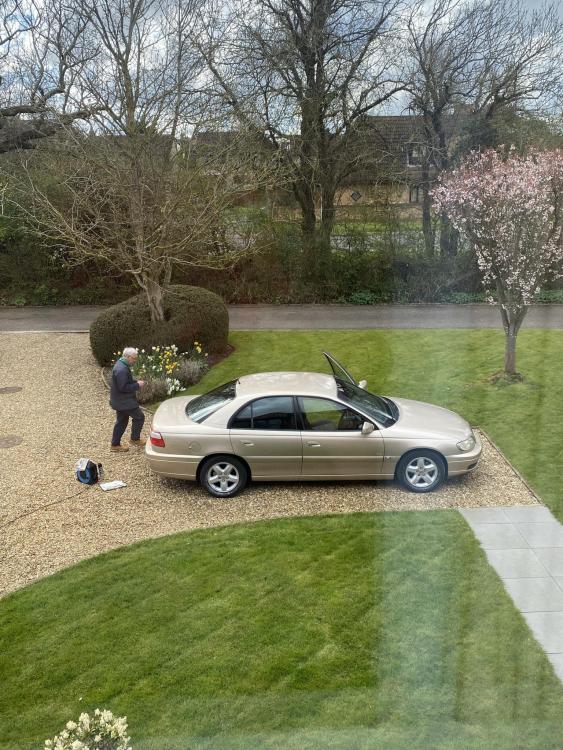
1 pointHello everybody, I have just become the proud owner of a 2002 Omega 2.2 automatic, 55,000 miles, demo + one owner, with more service history than you can imagine, including every receipt! Hope it’s going to give me many miles of happy motoring. Couple of photos of me detailing the car after collection attached. Happy to hear from owners of similar vehicles, and any tips advice gratefully received. Thanks for letting me join the club. All the best. Barry
 1 point
 -
1 pointHi yhankyou for accepting me I own a vauxhall insignia sri and would like to here from others
 1 point


